Splash Records Setup (Swimrankings)
Step 1
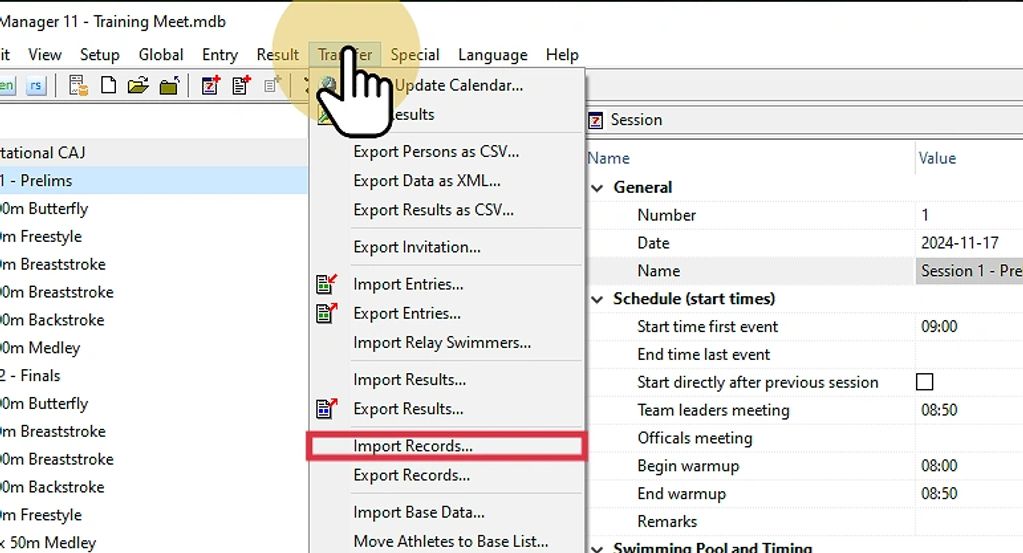
On the Event (EV) module choose Import Records from the Transfer menu.
Step 2
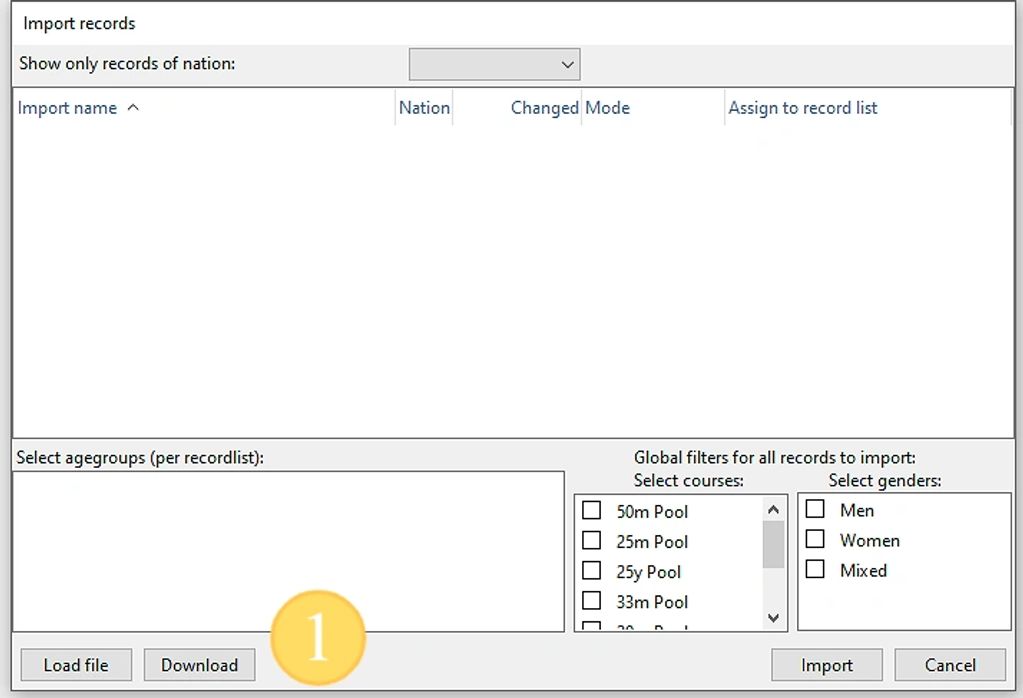
Click on the download button to get all of the latest records from Swimrankings.
Step 3
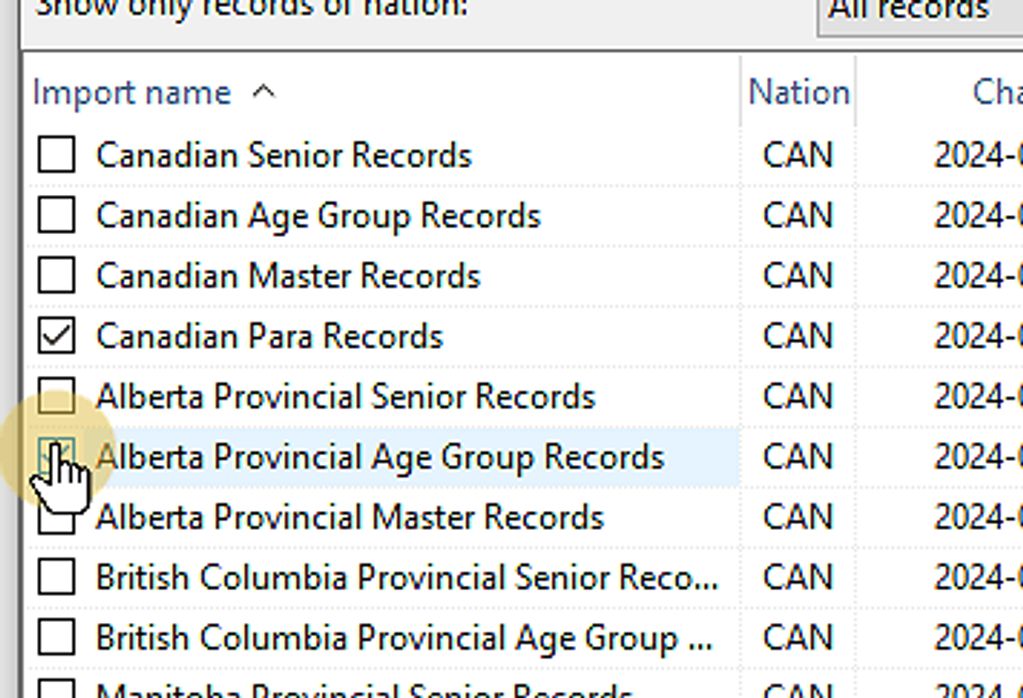
For our example we will import Canadian para, Alberta Age Group records and Quebec Age Group records. Place a check mark beside each one.
Step 4
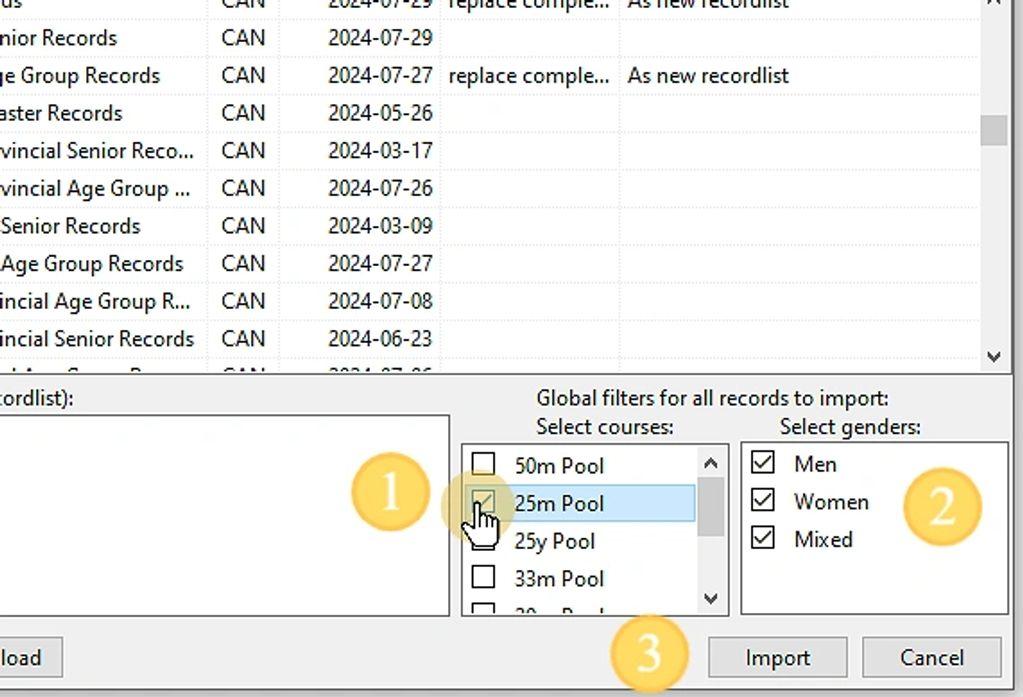
Choose the pool length and record genders to import. Then press the import button.
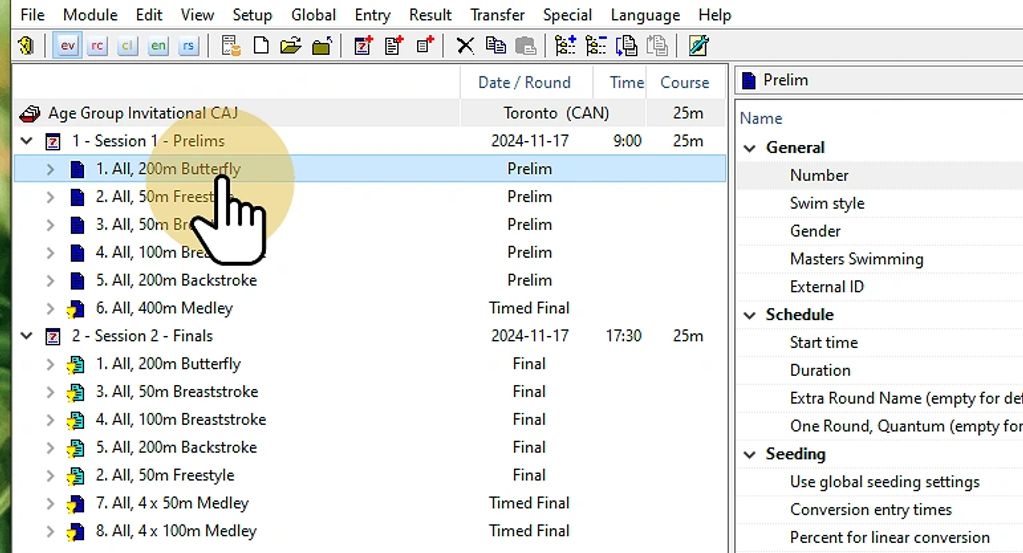
Step 5
Select the event you want to add the records to.
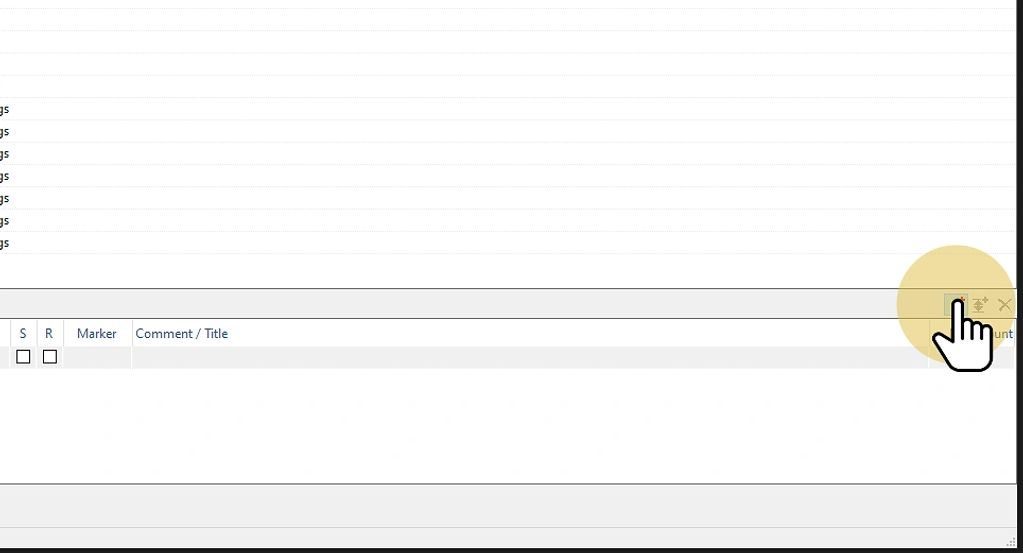
Step 6
In the bottom right of the lower pane click the add button 3 times for our example to add the record entries.
Show More